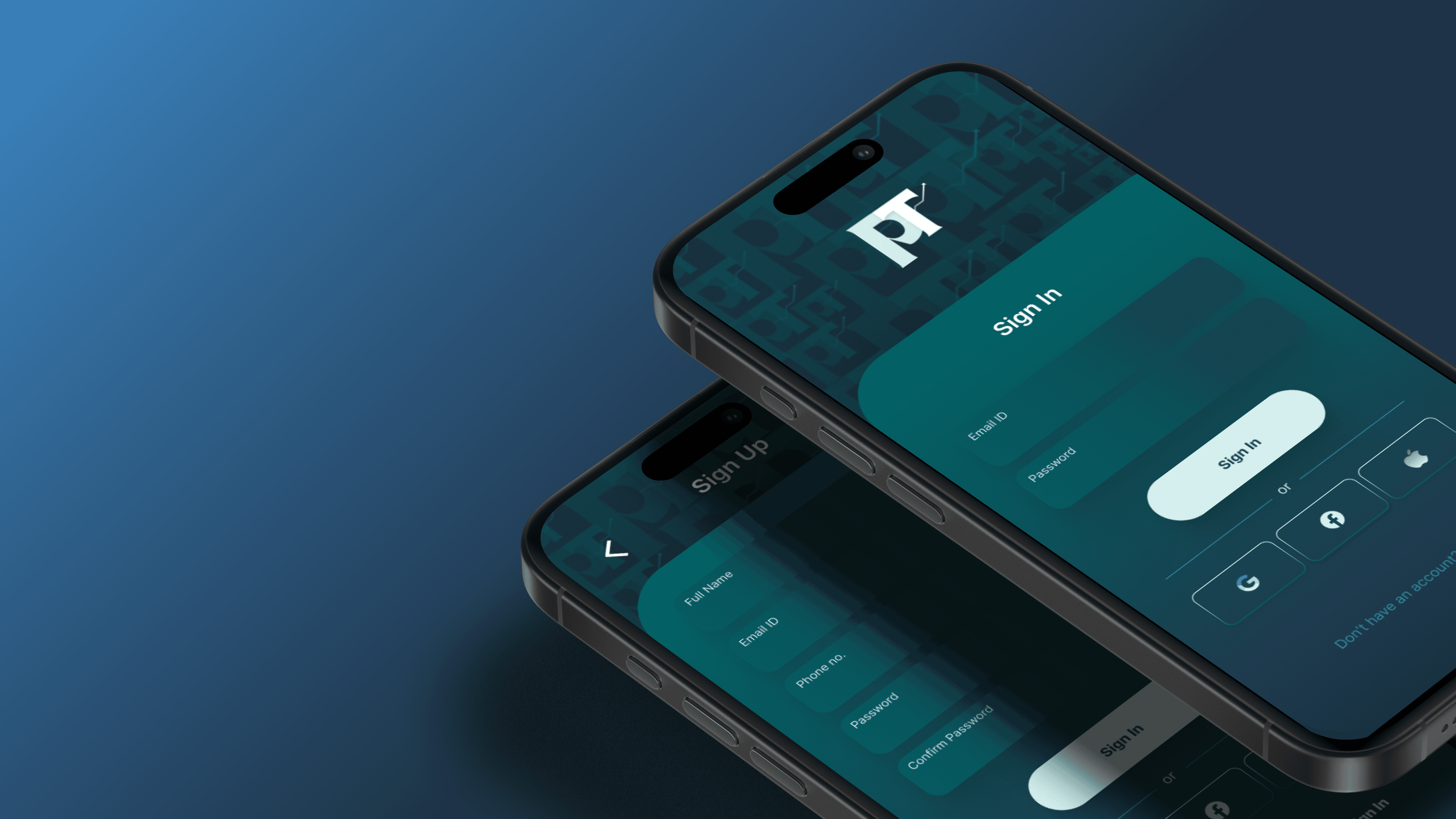
Pocket Tracker
Because, "where did my money go?" Isn't budget!
Project Details
0 → 1
Product Stage
Product Designer
Role
Fintech
Industry
Mobile App
Platform
Problem Statement
"A survey of nearly 30,000 students at more than 440 colleges and universities found that only 53% said they felt prepared to manage their money."
Project Details
0 → 1
Product Stage
Product Designer
Product Stage
Fintech
Industry
Mobile App
Platform
Solution
Smart Expense Tracking
The App offers three easy ways to record expenses
The App offers three easy ways to record expenses
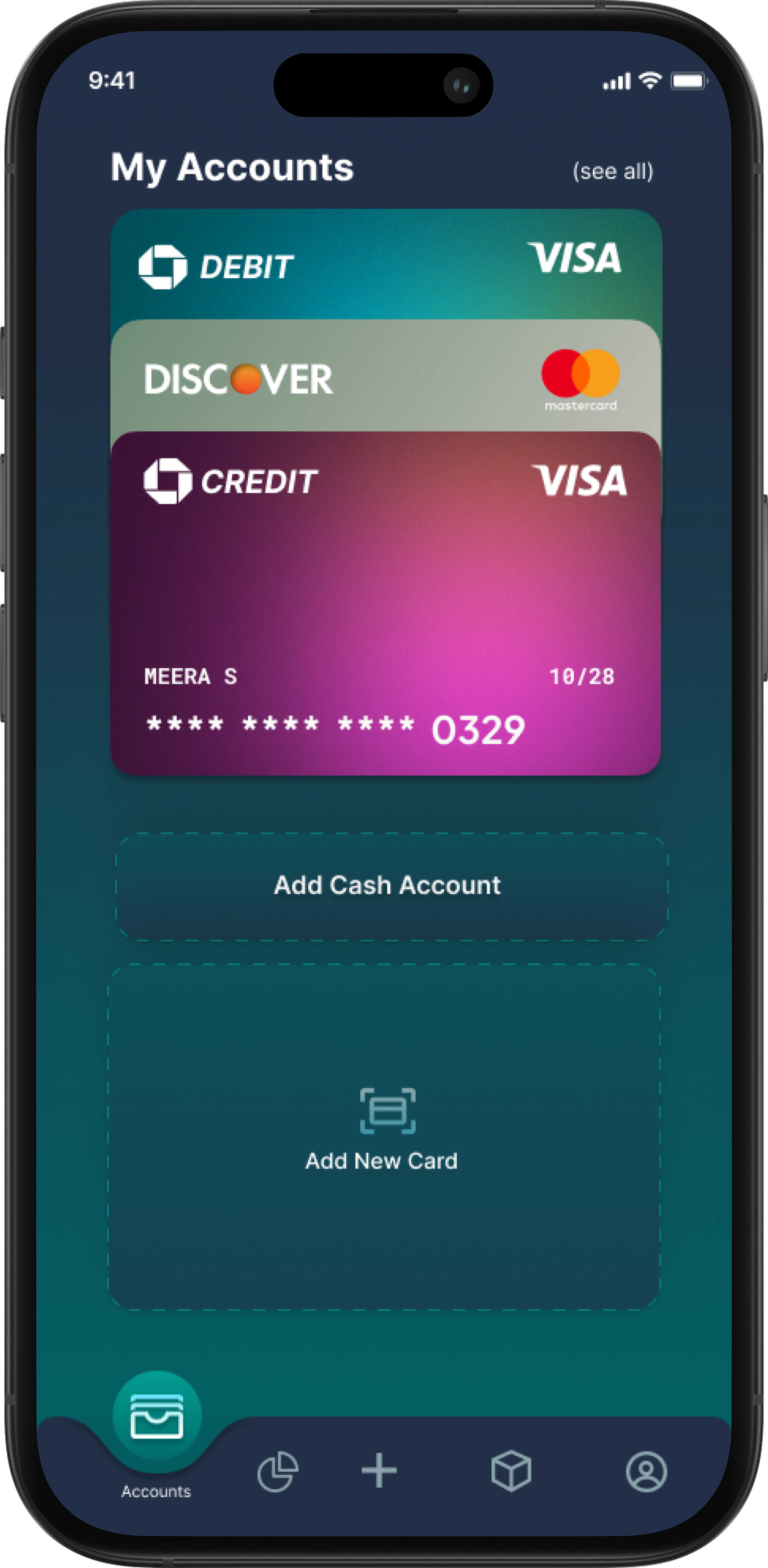
Automatic Tracking via Bank APIs:
Users can securely link their bank accounts for real-time, automatic expense recording.
Users can securely link their bank accounts for real-time, automatic expense recording.
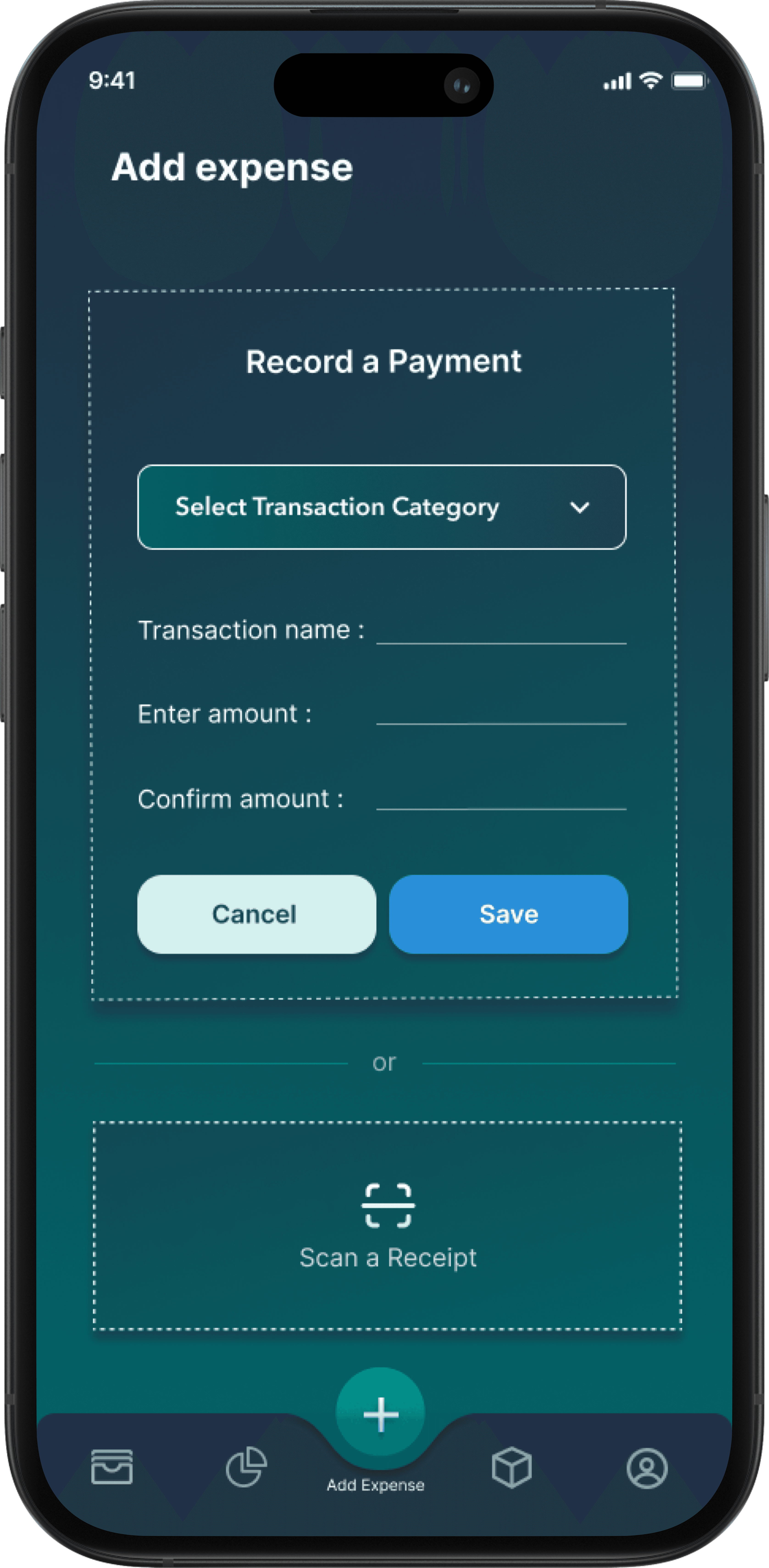
Manual Entry
Users can quickly add expenses manually for full flexibility.
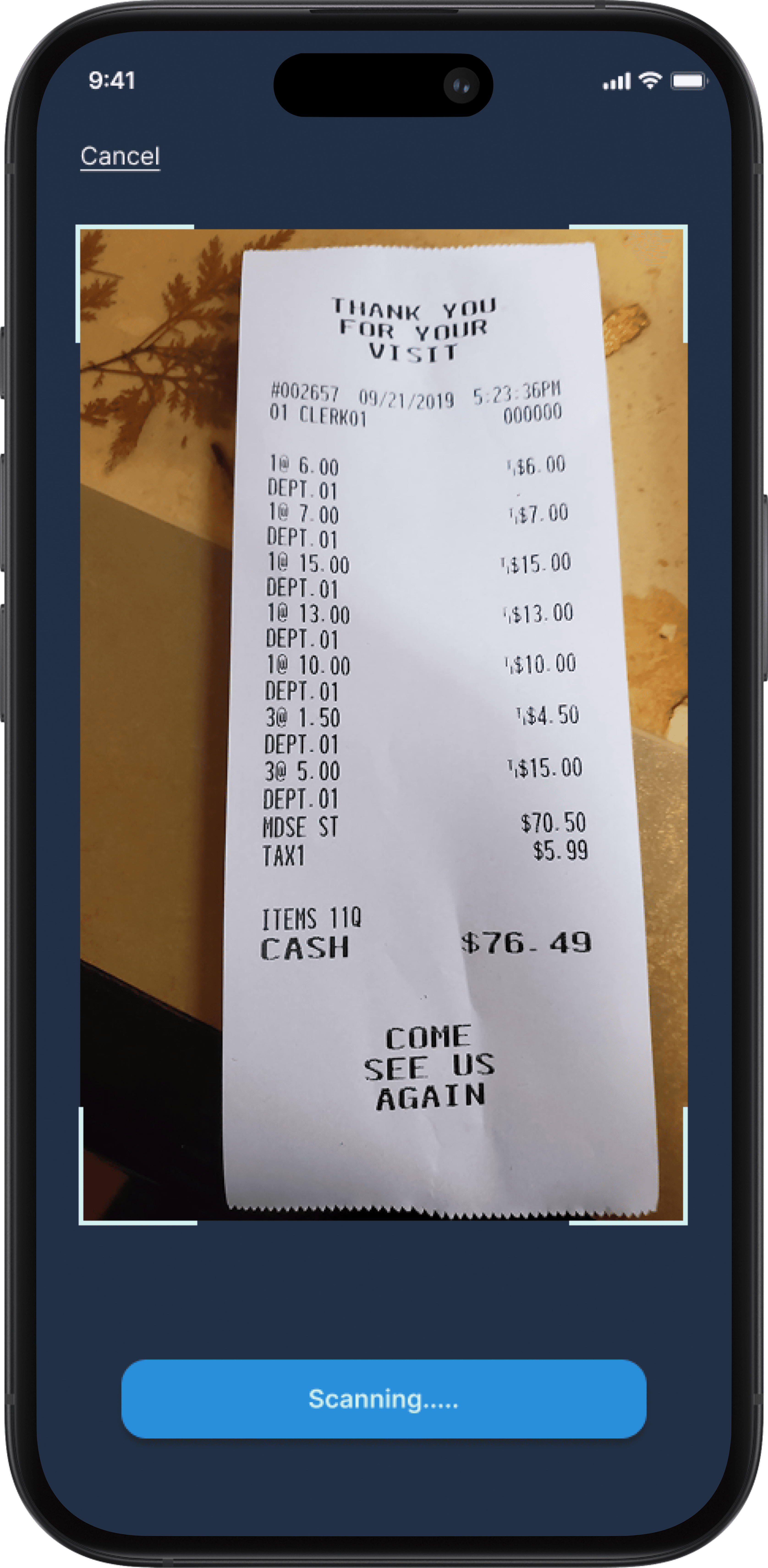
Receipt Scanning
Users can scan receipts, and the app will auto-extract details and prompt them to select a spending category.
Manual Entry
Users can quickly add expenses manually for full flexibility.
Receipt Scanning
Users can scan receipts, and the app will auto-extract details and prompt them to select a spending category.
Spending Insights by Category
Spending Insights by Category
Users can get a clear breakdown of their expenses across categories and track if they've exceeded their set limits. They can also compare their current spending with last month's to make smarter, more informed budgeting decisions.
Users can get a clear breakdown of their expenses across categories and track if they've exceeded their set limits. They can also compare their current spending with last month's to make smarter, more informed budgeting decisions.
V/S


V/S


Financial Summary Dashboard
Users can get a clear breakdown of their expenses across categories and track if they've exceeded their set limits. They can also compare their current spending with last month's to make smarter, more informed budgeting decisions.
Users can get a clear breakdown of their expenses across categories and track if they've exceeded their set limits. They can also compare their current spending with last month's to make smarter, more informed budgeting decisions.
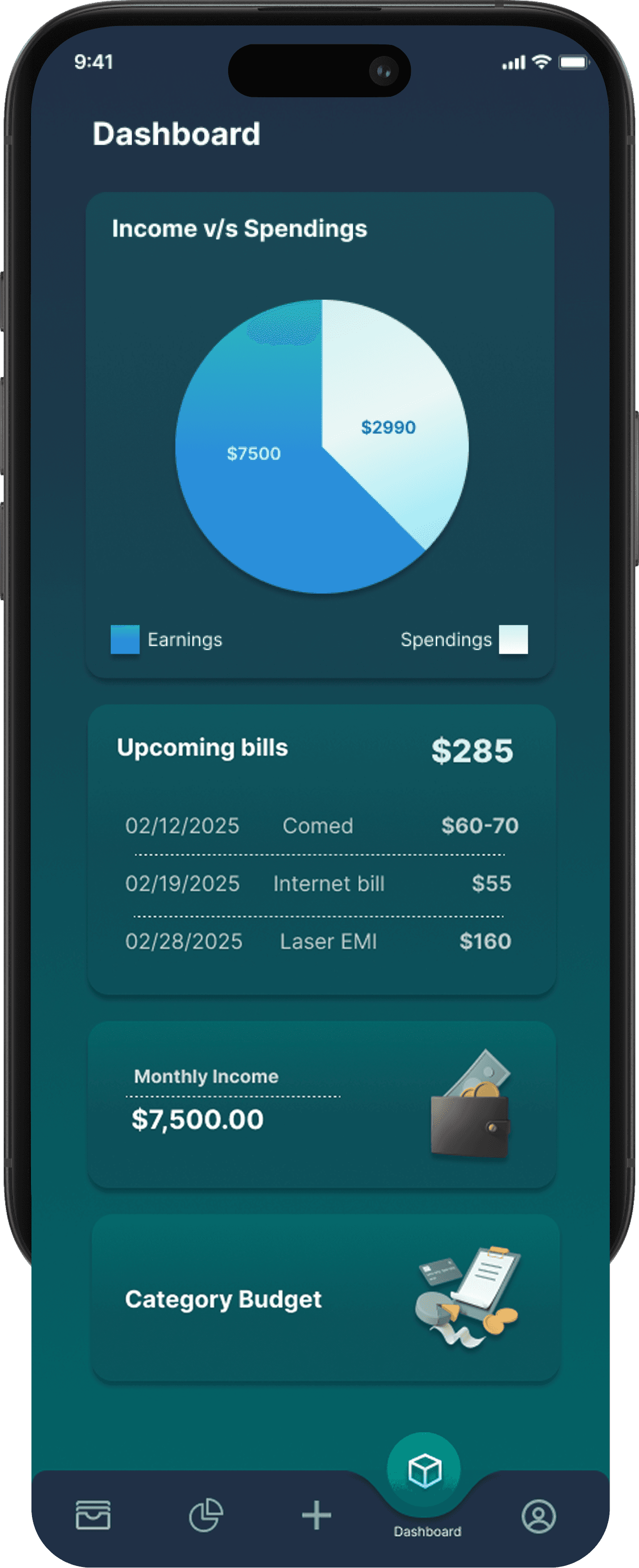
Income v/s Spendings
Helps users see how much they’re earning versus how much they’re spending at a glance.
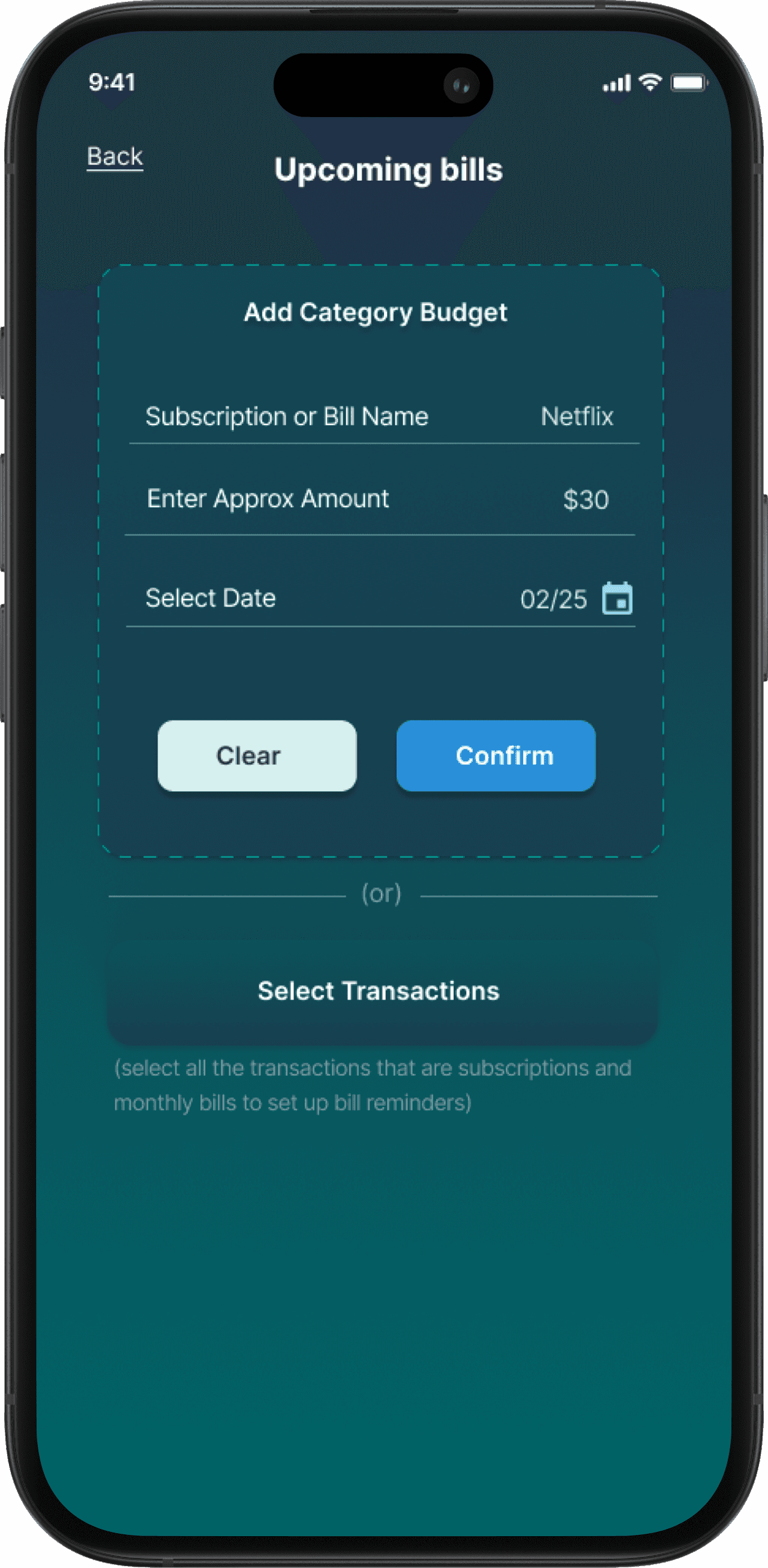
Upcoming Bills
Lists upcoming payments so users can stay prepared and avoid missing due dates.
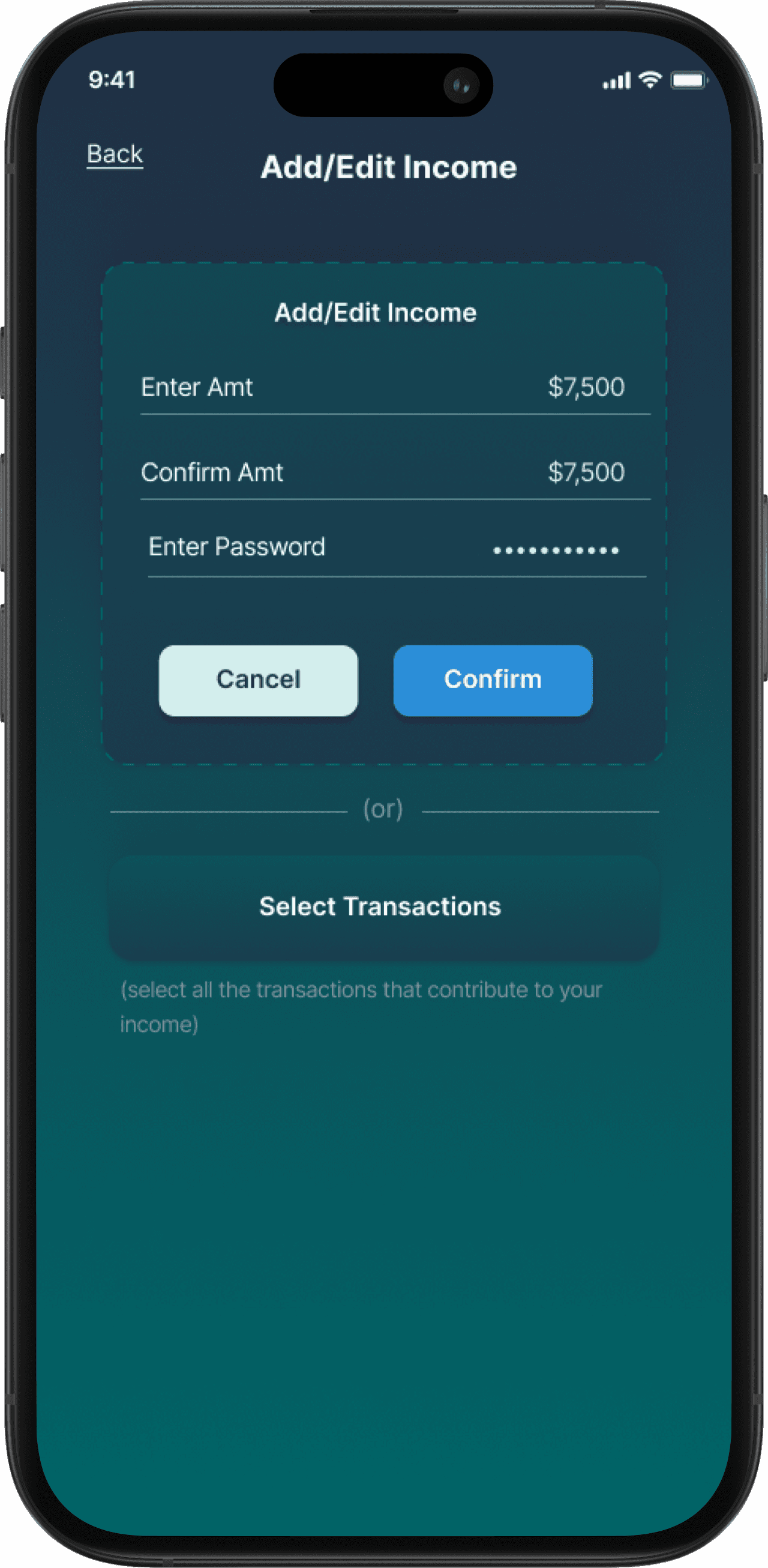
Monthly Income
Displays the total income received in the current month to help with budgeting.
Receipt Scanning
Shows how much has been spent in each category compared to the set limits.
Automatic Tracking via Bank APIs:
Users can securely link their bank accounts for real-time, automatic expense recording.
Automatic Tracking via Bank APIs:
Users can securely link their bank accounts for real-time, automatic expense recording.
Manual Entry
Users can quickly add expenses manually for full flexibility.
Receipt Scanning
Users can scan receipts, and the app will auto-extract details and prompt them to select a spending category.
Competitive Analysis + The Gap
I conducted a competitive analysis of 10 expense tracking apps, evaluating their features, user experience, and tracking methods. During this analysis, I found that no single app offered all three expense tracking methods — manual entry, bank API sync, and receipt scanning — together in one seamless solution.
This insight became my opportunity to create Pocket Tracker a unified solution that empowers users to track spending their way.






Competitive Analysis + The Market Gap
I conducted a competitive analysis of 10 expense tracking apps, evaluating their features, user experience, and tracking methods. During this analysis, I found that no single app offered all three expense tracking methods — manual entry, bank API sync, and receipt scanning — together in one seamless solution.
This insight became my opportunity to create Pocket Tracker a unified solution that empowers users to track spending their way.
User Interviews
Sample Size
The survey included 92 participants aged 16–60. Responses reflected a variety of tracking habits, methods, and feature preferences, providing a representative view of the target audience
User Profile & Habits
Most users are students aged 18–24 who track expenses weekly or monthly. They rely on apps, bank statements, and notebooks, leading to fragmented and inconsistent expense management.
Needs & Challenges
Users want categorization, reminders, and budgeting tools, but satisfaction with current methods is low. Forgetting to log expenses, inconsistency, and time-consuming processes are common issues.
Expected Benefits
Users aim to make smarter financial decisions, stay organized, and gain a clear, time-saving overview of their spending habits.
Desired Features
Users expect a simple, efficient app with clear insights. Key needs include personalized analytics, automation, reminders, account syncing, strong security, and budgeting support.
Key Insights
Ease of use, flexibility, and actionable insights are top priorities, revealing clear opportunities for UX and feature improvements.
Initial Design - Testing and Improvements
3 Key Improvements.
Based on feedback from five survey participants and two mentors, I iterated on the design at two stages, after low fidelity wireframes and the initial high fidelity light mode design. Over six weeks, changes focused on improving usability and better aligning with user needs.
Competitive Analysis + The Market Gap
I conducted a competitive analysis of 10 expense tracking apps, evaluating their features, user experience, and tracking methods. During this analysis, I found that no single app offered all three expense tracking methods — manual entry, bank API sync, and receipt scanning — together in one seamless solution.
This insight became my opportunity to create Pocket Tracker a unified solution that empowers users to track spending their way.
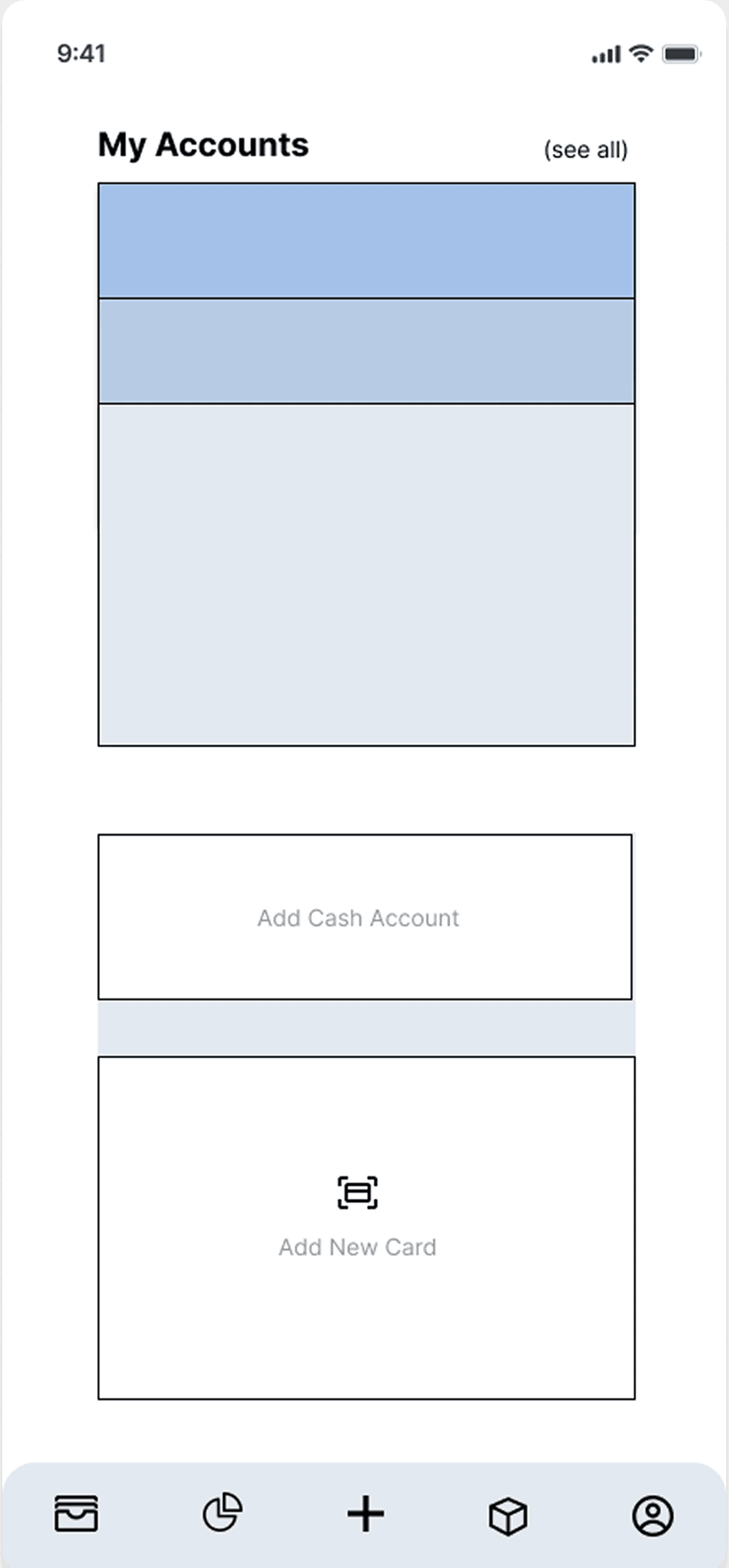
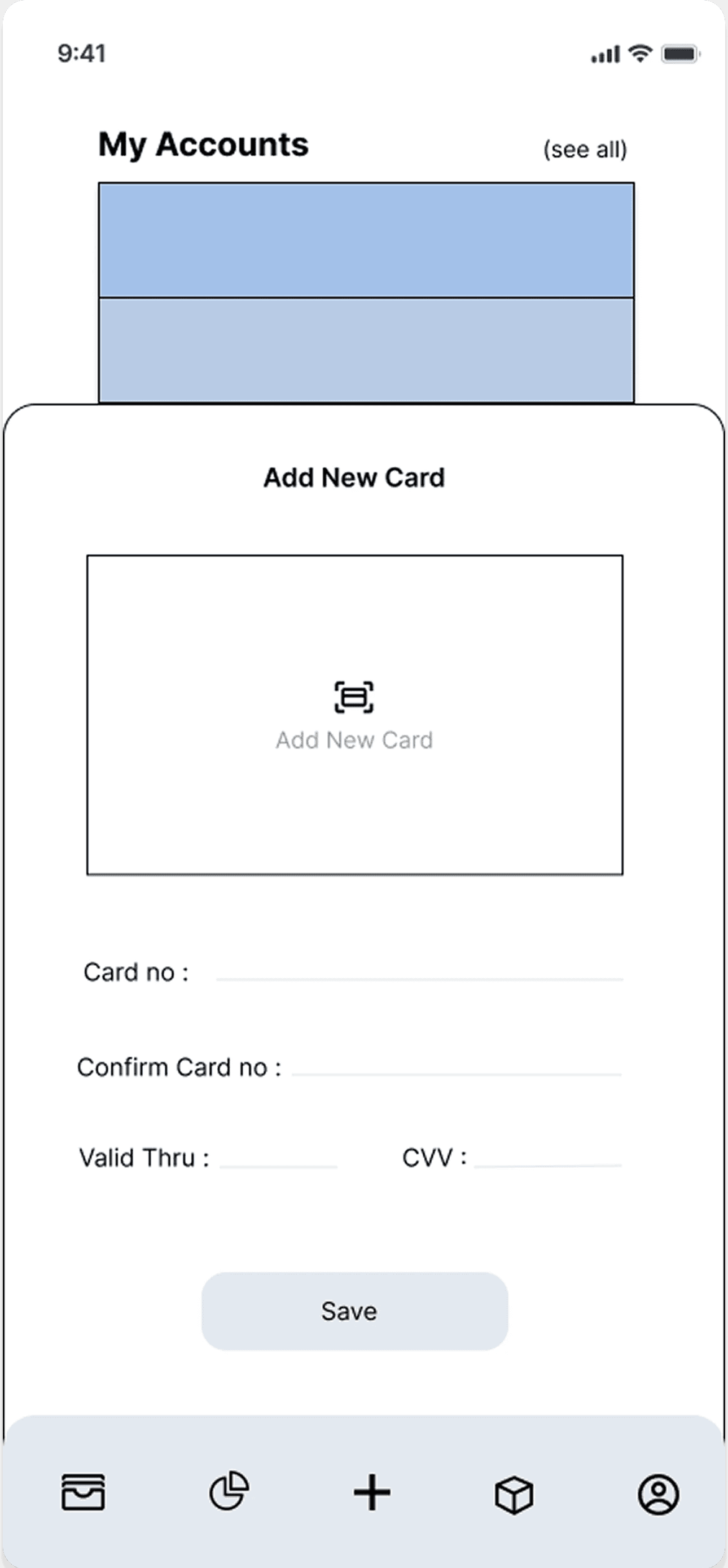
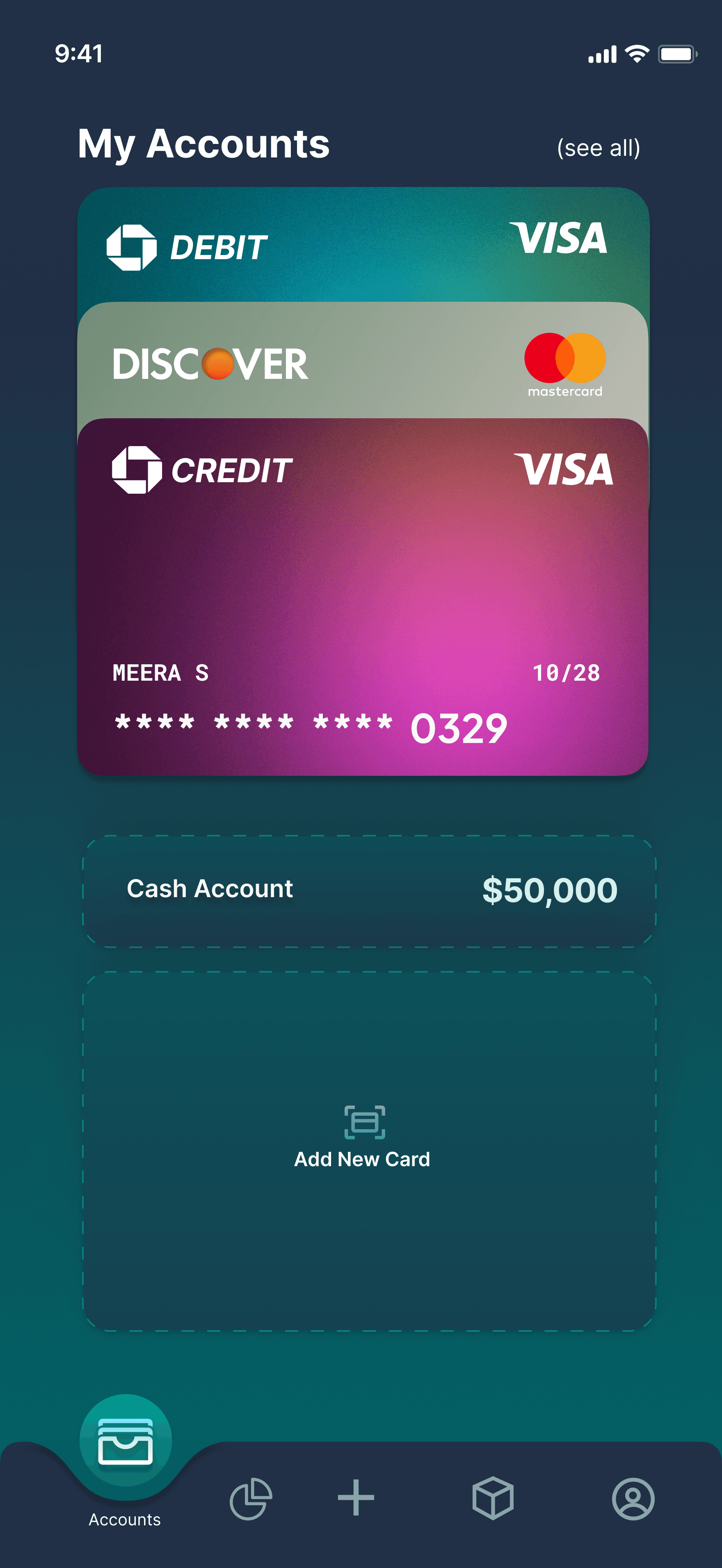
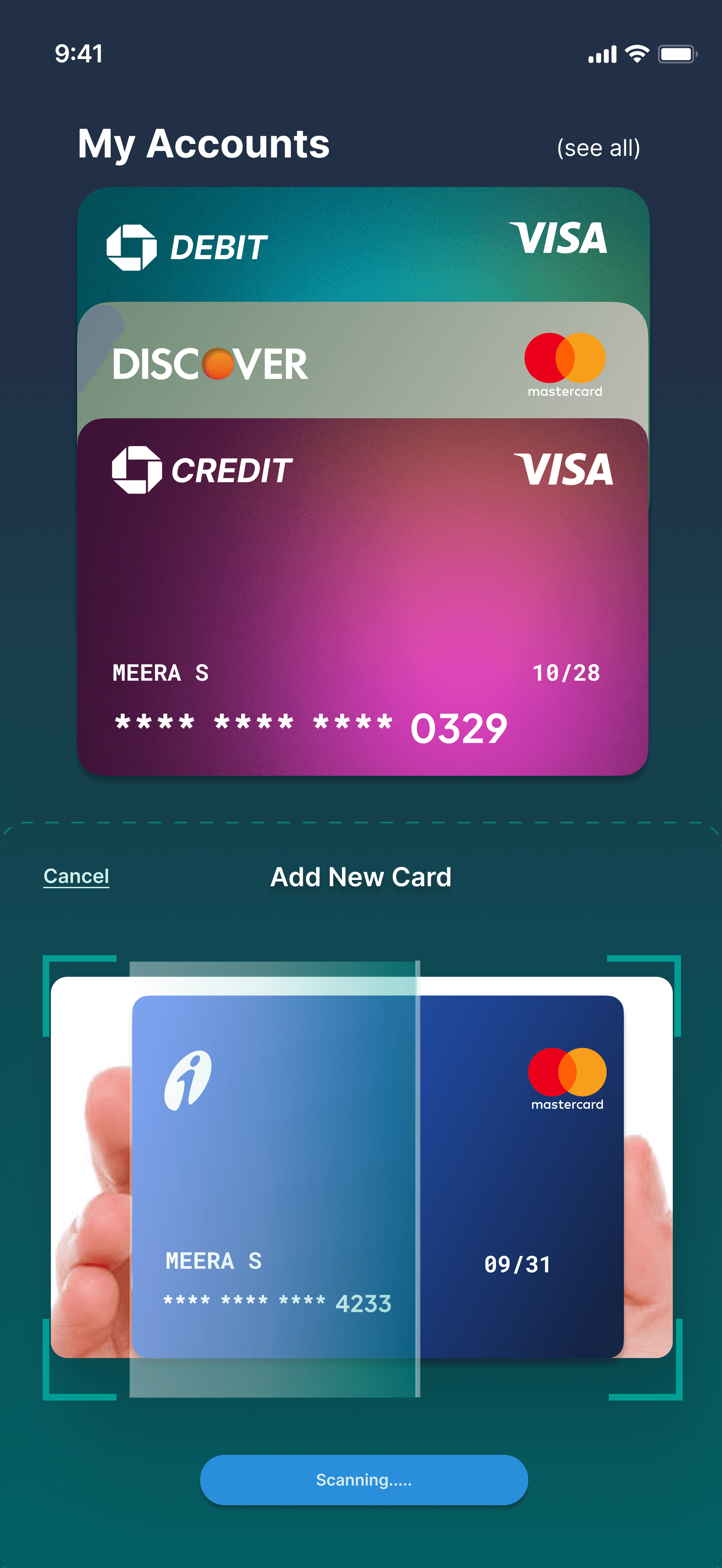
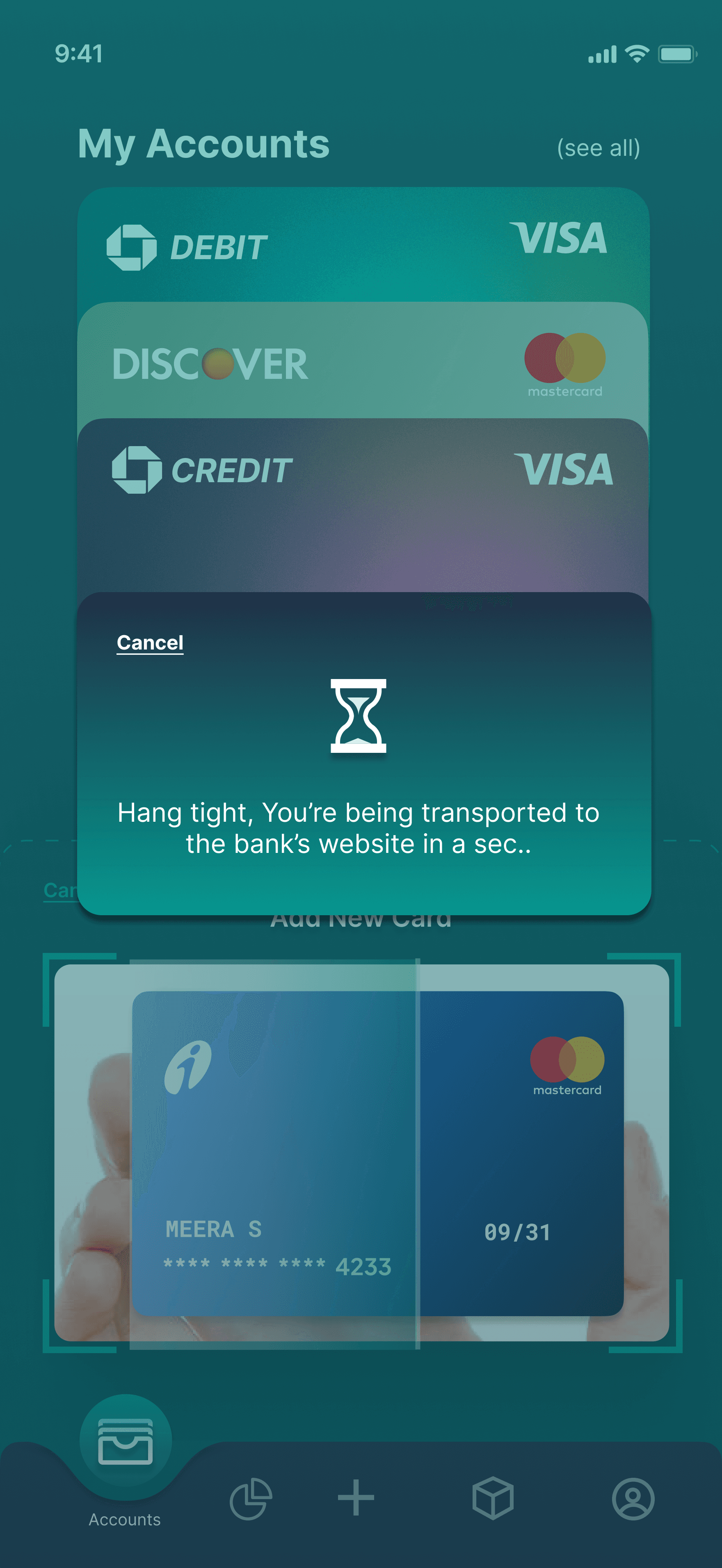
Prioritizing Security and Trust in Card Verification
Initial Idea: Users would enter card details directly in-app for bank verification.
Change Made: Switched to scanning the card and redirecting to the bank’s official website for verification.
Impact: Strengthened user trust, simplified implementation, and ensured a more secure and compliant experience.
Before
User Interviews
Sample Size
The survey included 92 participants aged 16–60. Responses reflected a variety of tracking habits, methods, and feature preferences, providing a representative view of the target audience
User Profile & Habits
Most users are students aged 18–24 who track expenses weekly or monthly. They rely on apps, bank statements, and notebooks, leading to fragmented and inconsistent expense management.
Needs & Challenges
Users want categorization, reminders, and budgeting tools, but satisfaction with current methods is low. Forgetting to log expenses, inconsistency, and time-consuming processes are common issues.
Expected Benefits
Users aim to make smarter financial decisions, stay organized, and gain a clear, time-saving overview of their spending habits.
Desired Features
Users expect a simple, efficient app with clear insights. Key needs include personalized analytics, automation, reminders, account syncing, strong security, and budgeting support.
Key Insights
Ease of use, flexibility, and actionable insights are top priorities, revealing clear opportunities for UX and feature improvements.
User Interviews
Sample Size
The study included 92 participants aged 16–60, representing diverse financial habits and preferences.
User Profile & Habits
Most users are students aged 18–24 who track expenses weekly or monthly. They rely on apps, bank statements, and notebooks, leading to fragmented and inconsistent expense management.
Needs & Challenges
Users want categorization, reminders, and budgeting tools, but satisfaction with current methods is low. Forgetting to log expenses, inconsistency, and time-consuming processes are common issues.
Expected Benefits
Users aim to make smarter financial decisions, stay organized, and gain a clear, time-saving overview of their spending habits.
Desired Features
Users expect a simple, efficient app with clear insights. Key needs include personalized analytics, automation, reminders, account syncing, strong security, and budgeting support.
Key Insights
Ease of use, flexibility, and actionable insights are top priorities, revealing clear opportunities for UX and feature improvements.
After
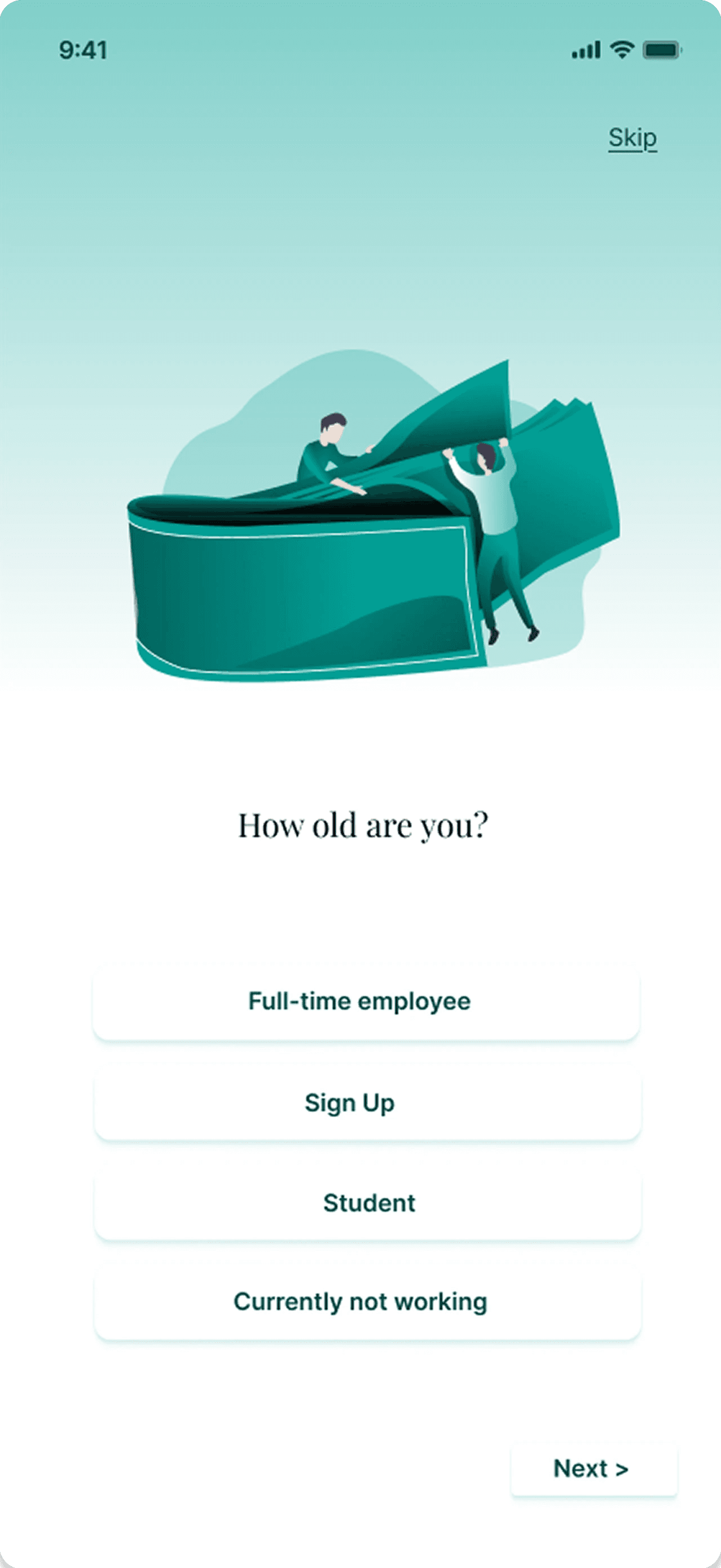
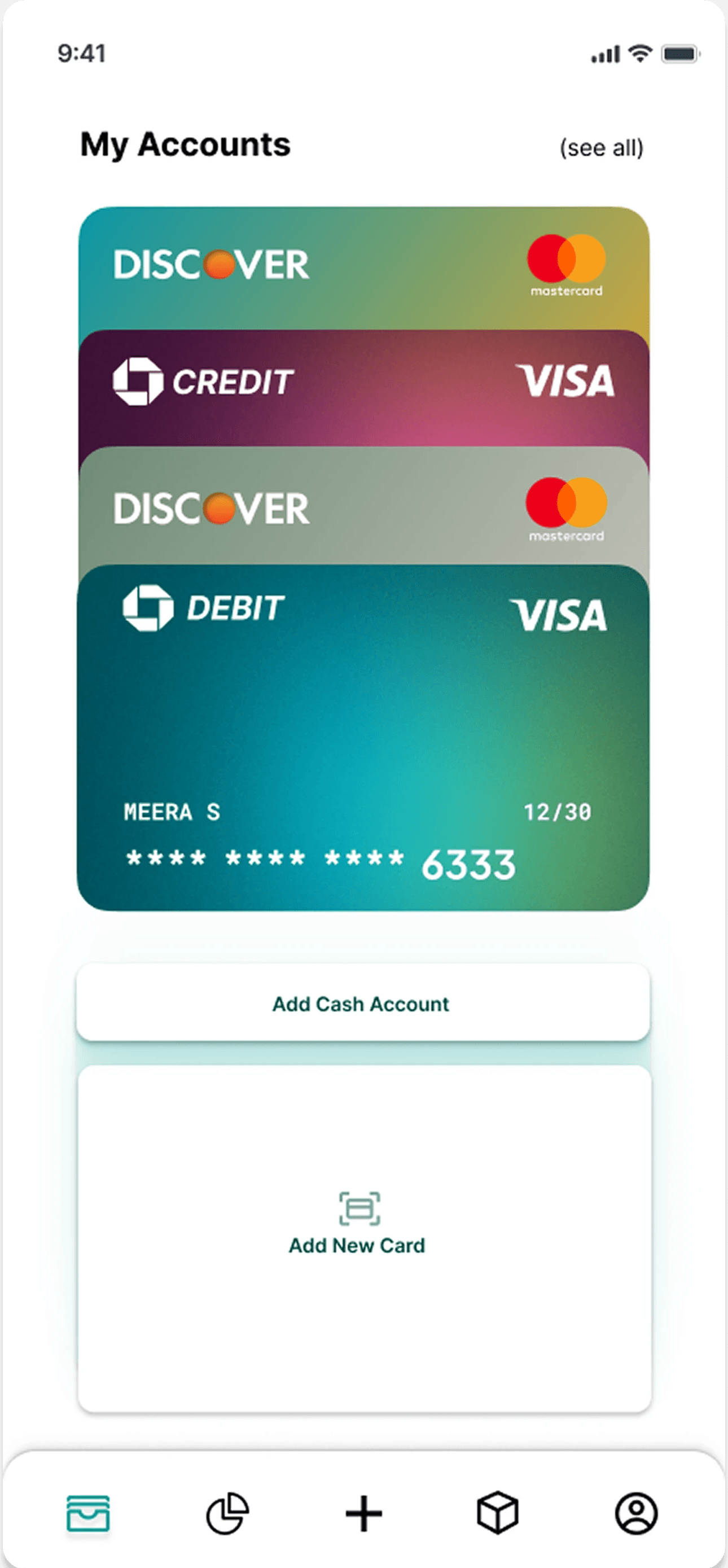
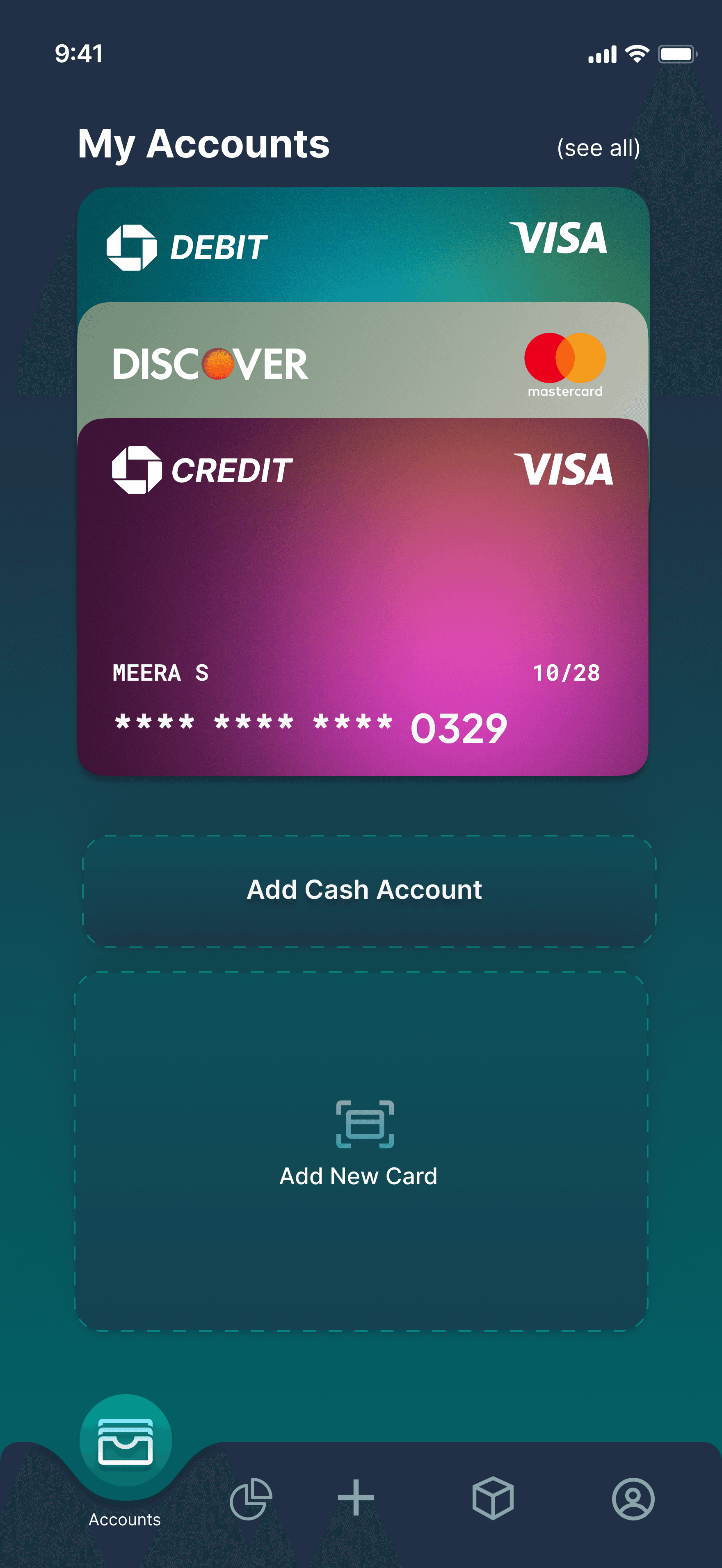
Shifting to Dark Mode for better Visual Impact.
Initial Idea: Used light mode with white and green tones.
Change Made: Switched to dark mode with deep blues and greens to enhance contrast and visual appeal.
Impact: Created a more immersive experience, reduced eye strain, and gave the app a modern, sleek aesthetic.
Before
Shifting to Dark Mode for better Visual Impact.
Initial Idea: Used light mode with white and green tones.
Change Made: Switched to dark mode with deep blues and greens to enhance contrast and visual appeal.
Impact: Created a more immersive experience, reduced eye strain, and gave the app a modern, sleek aesthetic.
Shifting to Dark Mode for better Visual Impact.
Initial Idea: Used light mode with white and green tones.
Change Made: Switched to dark mode with deep blues and greens to enhance contrast and visual appeal.
Impact: Created a more immersive experience, reduced eye strain, and gave the app a modern, sleek aesthetic.
After
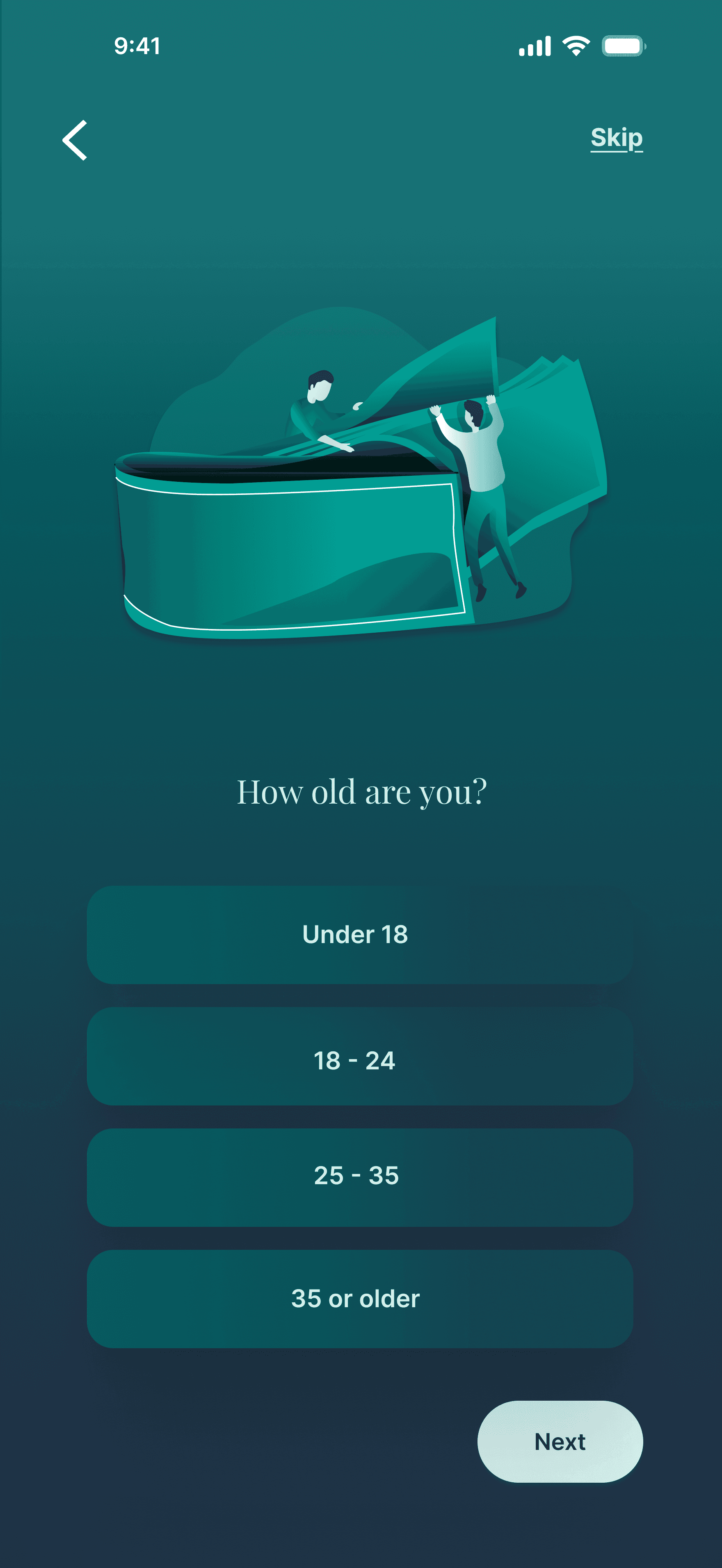
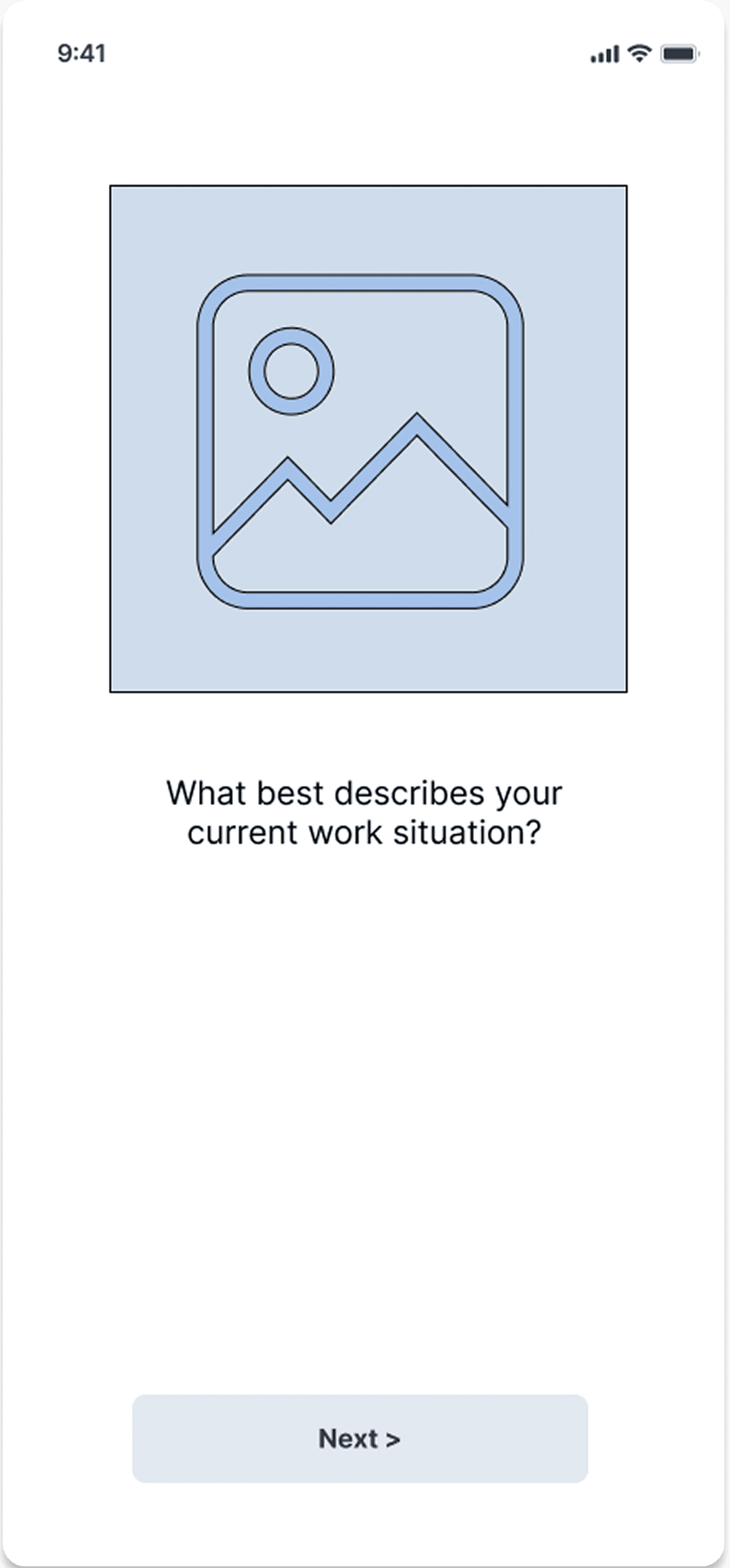
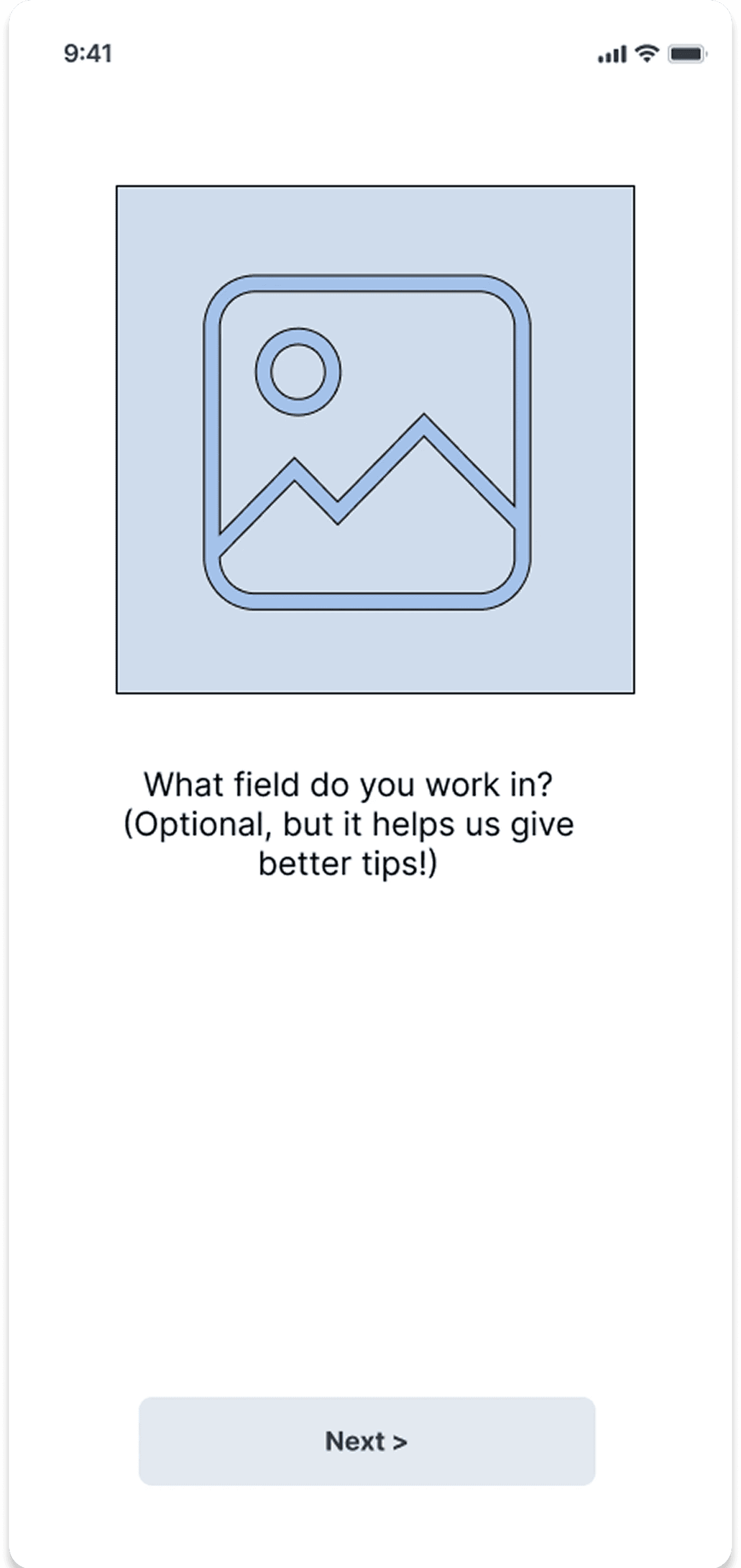
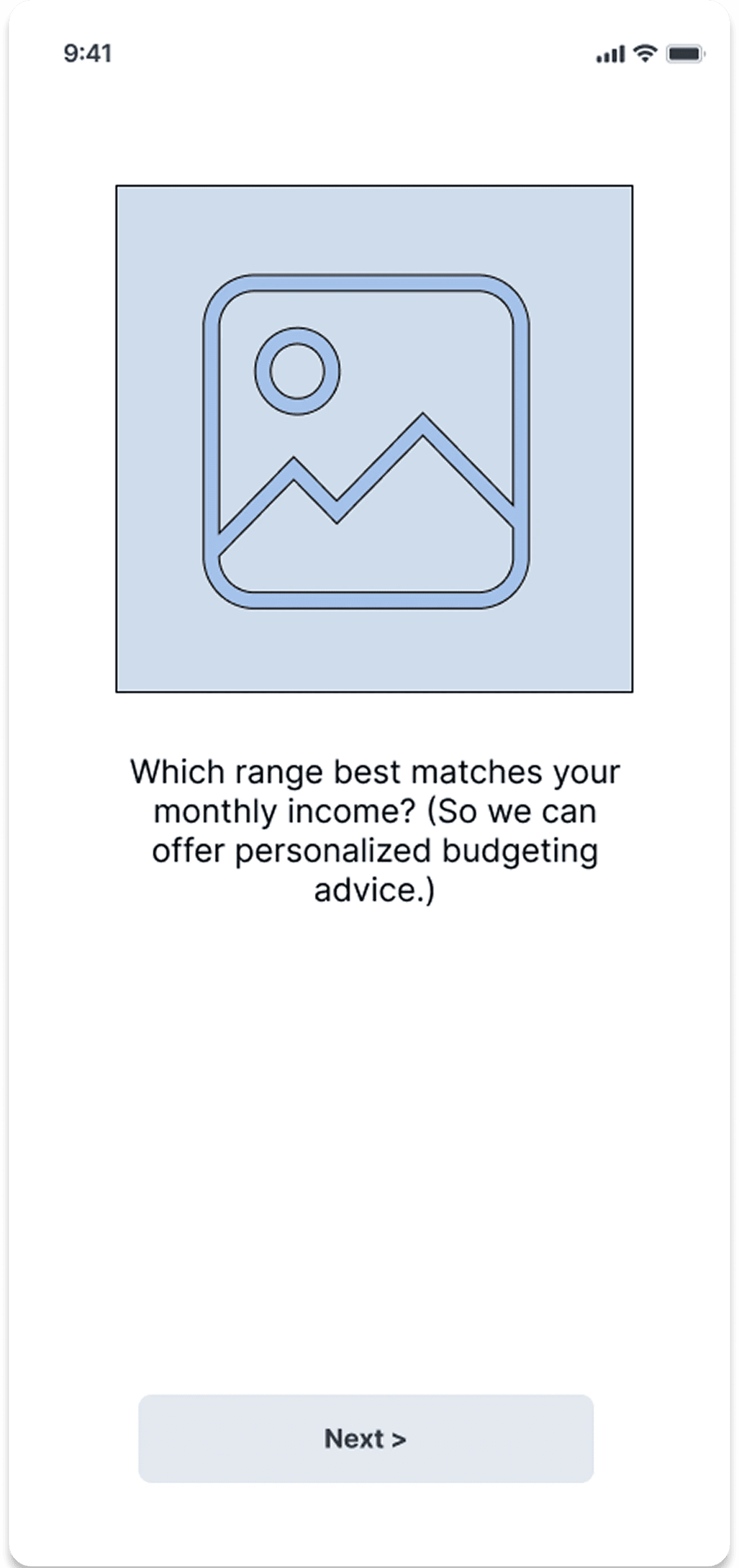
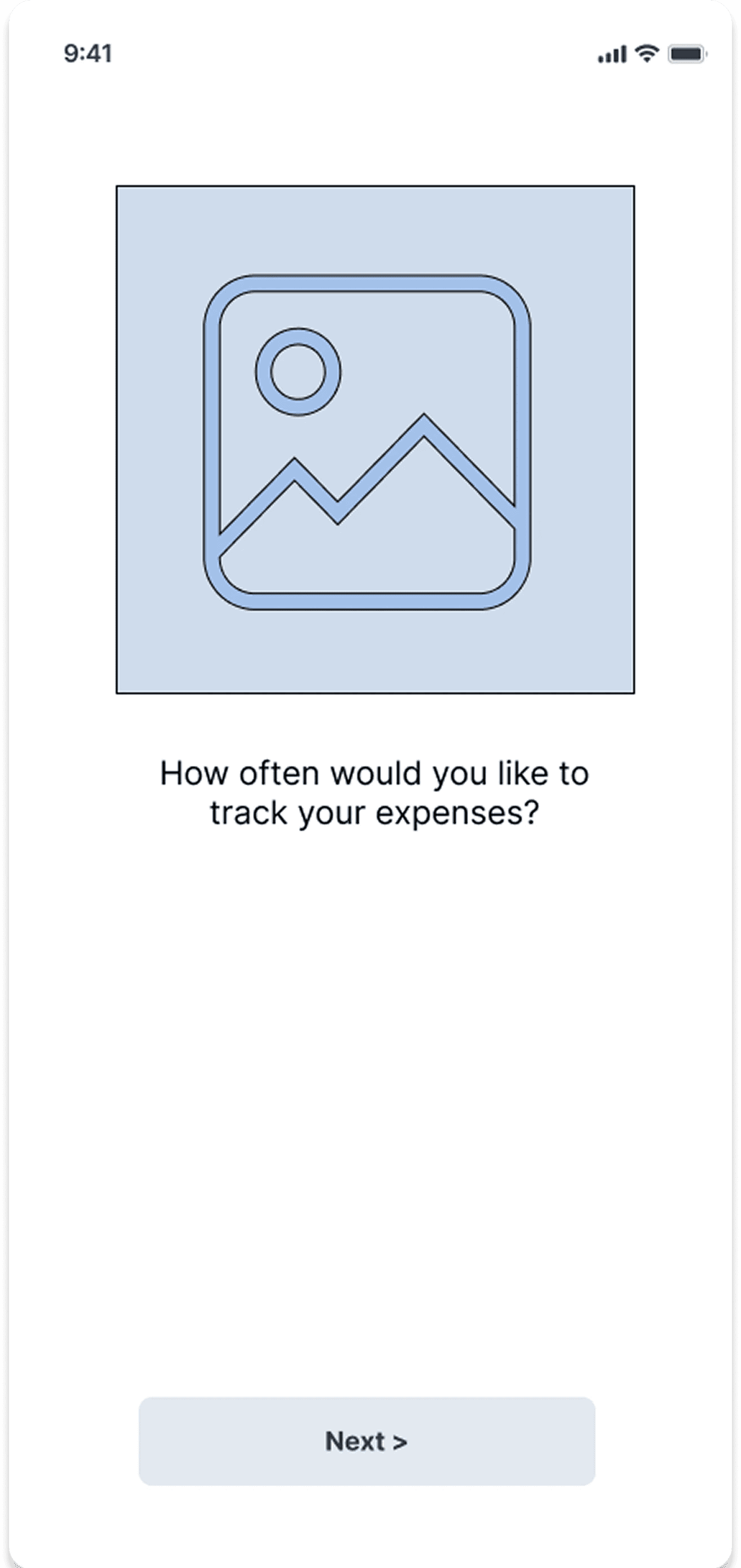
Enhancing Personalization with Onboarding
Initial Idea: Users landed directly on the dashboard and set up their profile manually.
Change Made: Introduced onboarding questions at the start to tailor the experience based on user goals and preferences.
Impact: Improved personalization, reduced setup friction, and guided users more effectively from the first interaction.
Information Architecture
Building a Clear Navigation Structure
This section explains how content and navigation are organized for clarity and ease of use.

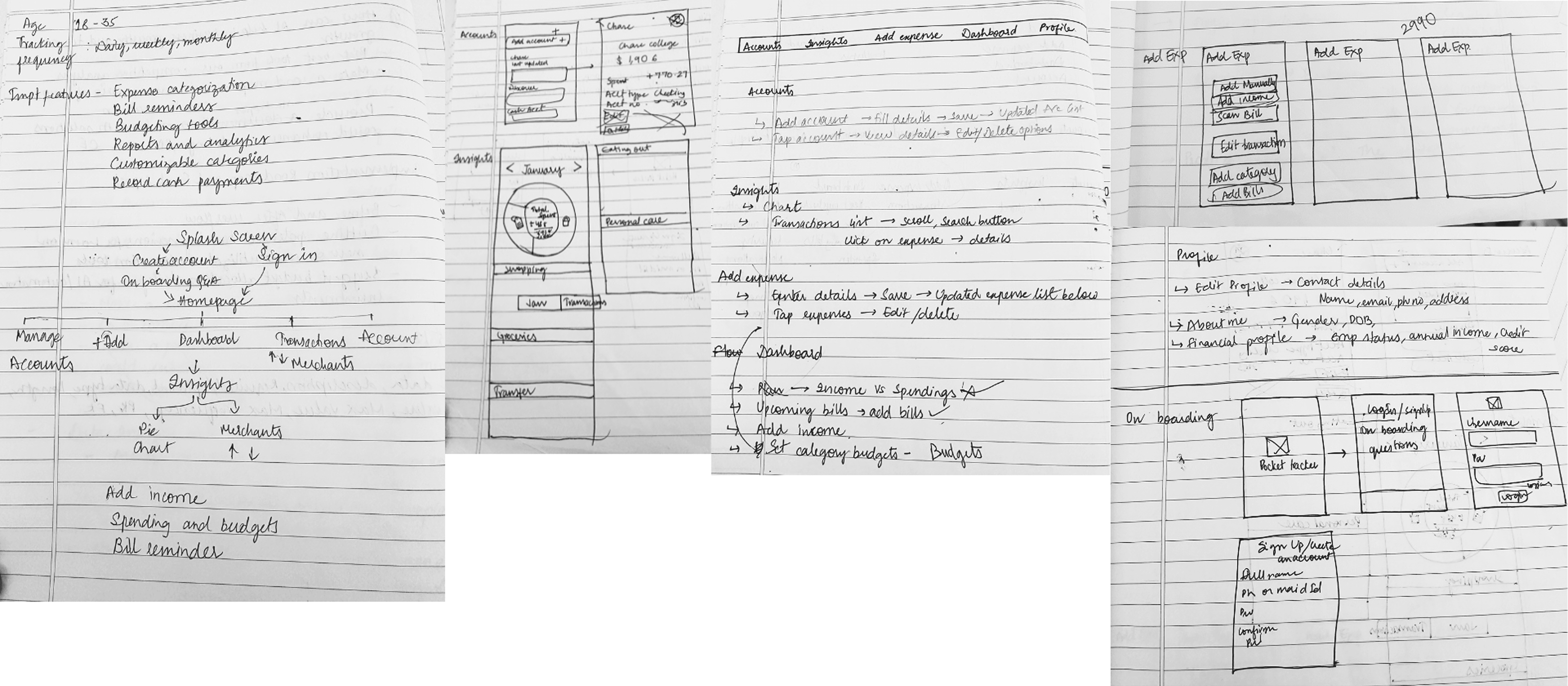
Behind the scenes
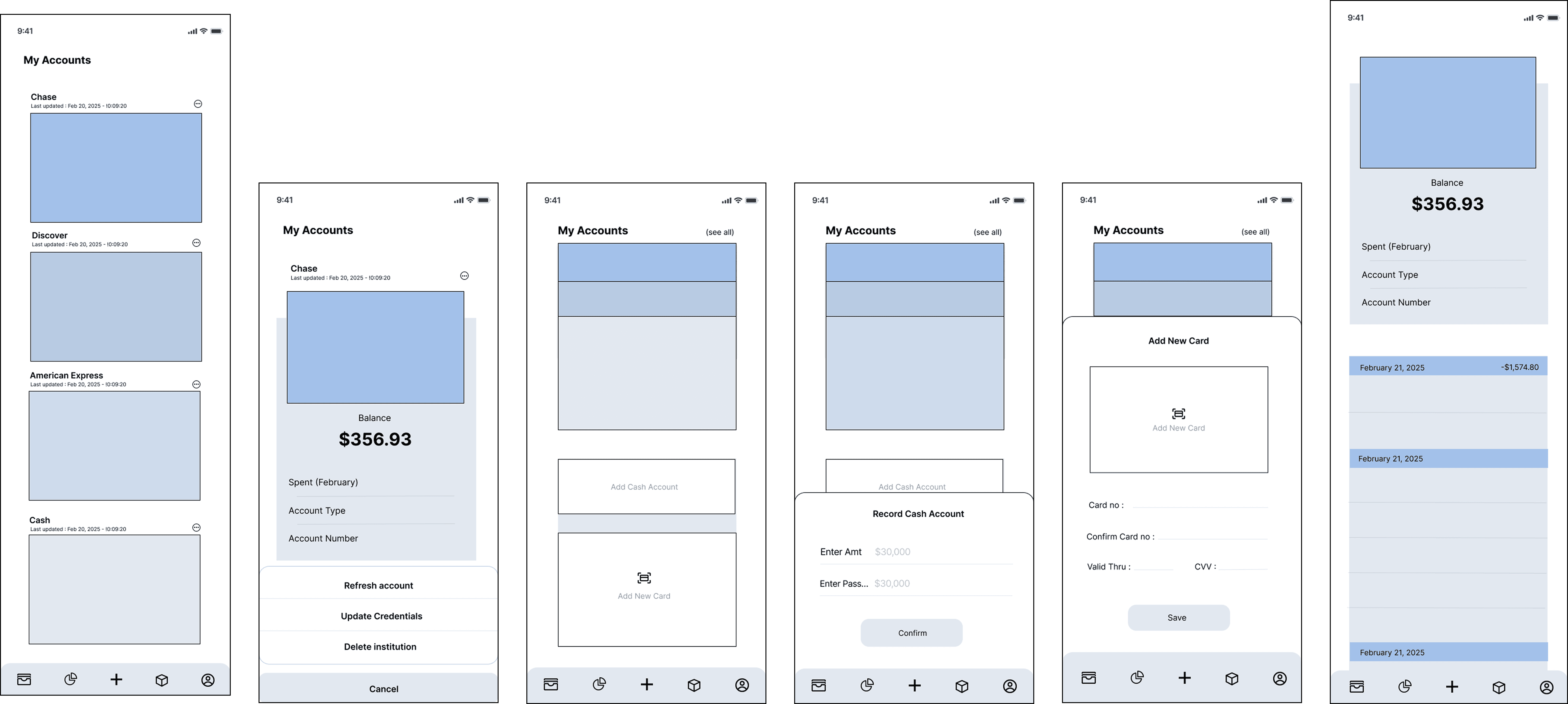
Lo-fi and Mid-fi Prototypes
After 25 more such sketches, i was ready with my Lo-fi Prototype, then i proceeded to refine it and give them so life...
Behind the scenes
Lo-fi and Mid-fi Prototypes
After 25 more such sketches, i was ready with my Lo-fi Prototype, then i proceeded to refine it and give them so life...
Sign in/Sign up to Onboarding
View all Banking Transactions
Add Cash account & Add Card
Recording a Payment/ Transaction
Dashboard
Insights
Profile Settings
Behind the scenes
Lo-fi and Mid-fi Prototypes
After 25 more such sketches, i was ready with my Lo-fi Prototype, then i proceeded to refine it and give them so life...
Sign in/Sign up to Onboarding
Add Cash account & Add Card
View all Banking Transactions
Recording a Payment/ Transaction
Dashboard
Insights
Profile Settings
Profile Settings
Profile Settings
Conclusion
Key Learnings and Takeaways
Redesigning the UIC Ride app was not just about improving an interface—it was about understanding users deeply, simplifying decision-making, and aligning every design element with real student needs. Here are my top insights from the process:
Redesigning the UIC Ride app was not just about improving an interface—it was about understanding users deeply, simplifying decision-making, and aligning every design element with real student needs. Here are my top insights from the process:
1. Real Behavior > Assumptions
User interviews showed that most students already relied on external navigation apps, so removing features like Maps helped me focus on what truly mattered.
2. Context-Driven Design
Students usually start their day with Shuttle and end it with Night Ride, so making Shuttle the default home screen aligned the app with their daily rhythm and created a more intuitive experience.
3. Clarity always wins.
What seemed intuitive to the designer proved confusing for users, so the hidden booking button was replaced with a prominent “Book Now” CTA, simplifying the flow and reducing drop-offs.
4. Trust Through Transparency
SSO login removed the need for profile creation, but adding a Profile section showing data pulled from university records gave users more control and enabled smoother interactions with drivers.
5. Inclusivity is Essential
Adding the option to request a wheelchair-accessible van reinforced a key lesson: accessibility features should be part of the core flow, not an afterthought.
6. Listen. Iterate. Simplify.
Feedback from mentors and users removed Maps, reorganized sections, and reduced clutter, steadily improving the app with each iteration.
7. Visual Design Reflects Reality
Switching the theme to dark mode during Night Ride hours (10 PM–6:30 AM) enhanced the feel of safety and relevance in the late-night context.
8. Tiny Tweaks, Big Impact
Updating the rider dropdown to allow guests and clearly stating the guest policy resolved confusion instantly. Thoughtful micro-interactions made the user journey smoother and more confident.
Conclusion
Key Learnings and Takeaways
Redesigning the UIC Ride app was not just about improving an interface—it was about understanding users deeply, simplifying decision-making, and aligning every design element with real student needs. Here are my top insights from the process:
1. Real Behavior > Assumptions
User interviews showed that most students already relied on external navigation apps, so removing features like Maps helped me focus on what truly mattered.
2. Context-Driven Design
Students usually start their day with Shuttle and end it with Night Ride, so making Shuttle the default home screen aligned the app with their daily rhythm and created a more intuitive experience.
3. Clarity always wins.
What seemed intuitive to the designer proved confusing for users, so the hidden booking button was replaced with a prominent “Book Now” CTA, simplifying the flow and reducing drop-offs.
4. Trust Through Transparency
SSO login removed the need for profile creation, but adding a Profile section showing data pulled from university records gave users more control and enabled smoother interactions with drivers.
5. Inclusivity is Essential
Adding the option to request a wheelchair-accessible van reinforced a key lesson: accessibility features should be part of the core flow, not an afterthought.
6. Listen. Iterate. Simplify.
Feedback from mentors and users removed Maps, reorganized sections, and reduced clutter, steadily improving the app with each iteration.
7. Visual Design Reflects Reality
Switching the theme to dark mode during Night Ride hours (10 PM–6:30 AM) enhanced the feel of safety and relevance in the late-night context.
8. Tiny Tweaks, Big Impact
Updating the rider dropdown to allow guests and clearly stating the guest policy resolved confusion instantly. Thoughtful micro-interactions made the user journey smoother and more confident.